MPOS-Core
The official application that allows Mart POS to connect with your USB printers to print receipts and invoices locally. Fast, stable, and with no complicated setup.
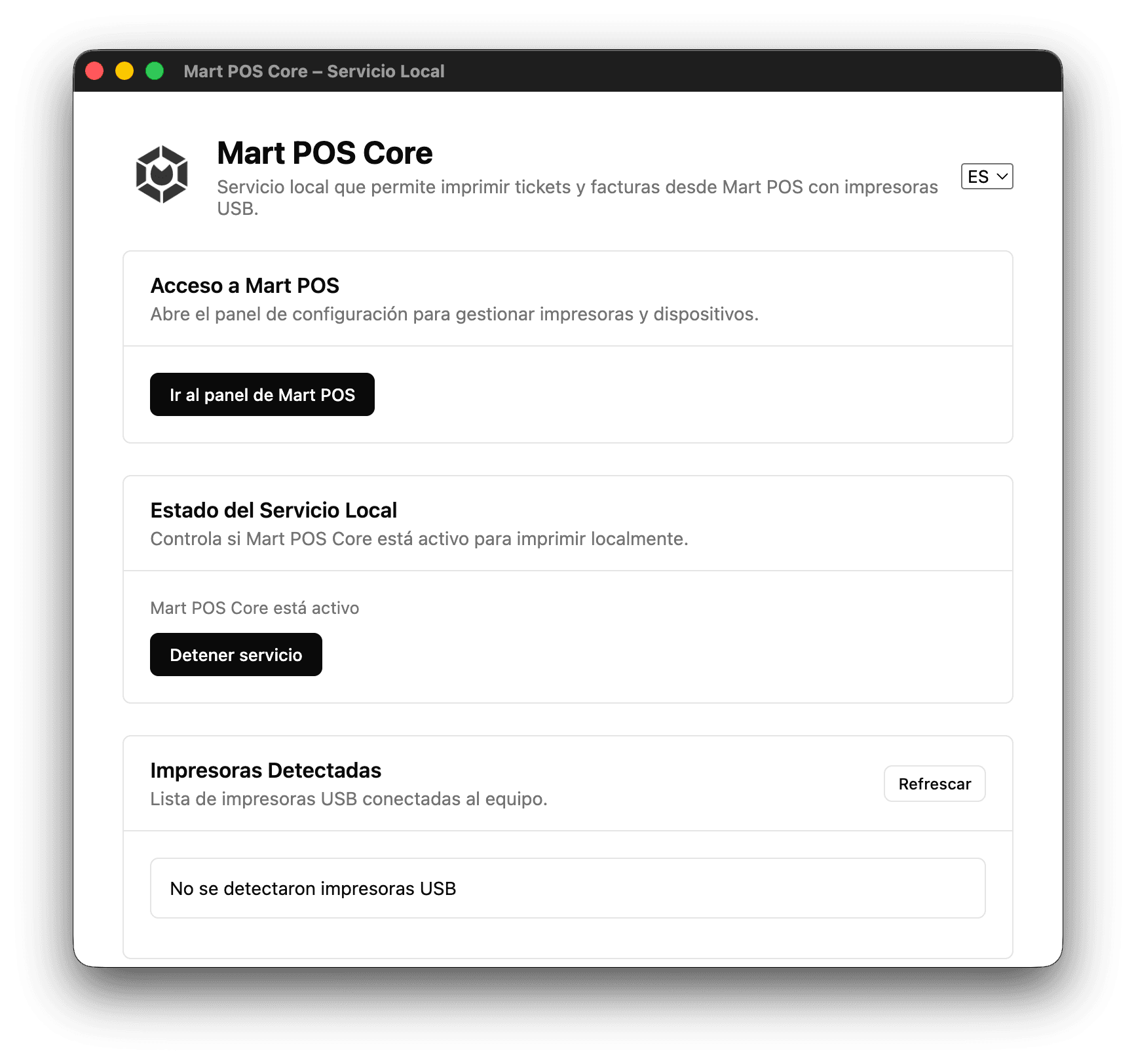
What is MPOS-Core?
MPOS-Core is a lightweight application installed locally on your computer (Windows or macOS) that acts as the direct bridge between Mart POS, which runs entirely on the web, and your USB-connected printers. Thanks to MPOS-Core, you can print receipts and invoices automatically, quickly, and securely.
What is MPOS-Core used for?
1. USB device detection
MPOS-Core identifies all devices connected to your computer, including thermal printers, standard printers, and other USB devices. For each device it shows its name, type, vendor ID, and product ID, helping you identify the correct printer.
2. Default printer selection
You can choose which printer you want to use for receipts and invoices, allowing Mart POS to print automatically using the configured default printer.
3. Automatic connection with Mart POS
Mart POS automatically detects MPOS-Core when the application is open. If MPOS-Core is turned off, Mart POS continues to work normally, but local printing will not be available.
4. Control from Mart POS
- Check if MPOS-Core is available.
- Select a default printer.
- Refresh the list of USB devices.
- Turn MPOS-Core on or off from the web.
5. Test print
MPOS-Core allows you to print a test ticket to confirm that the connection and printer are working correctly.
How to know if Mart POS detected MPOS-Core?
Go to {link} to check the MPOS-Core status. There you can confirm whether it's available, review your USB devices, and configure your default printer.
Requirements
- Install MPOS-Core (.exe or .dmg).
- Keep the application open while printing.
- Connect a compatible USB printer.
Installation
• Windows: .exe file • macOS: .dmg file The installation is guided, fast, and similar to any traditional application.
Final summary
MPOS-Core is the essential tool that connects Mart POS with your USB printers to print receipts and invoices in seconds. Its operation is simple, automatic, and requires no technical knowledge.